
Introduction
The way people search online has been evolving rapidly. A few years ago, users typed in queries, clicked through websites, and explored multiple results to find the answer. Today, the landscape is shifting — more users are finding what they need without ever clicking on a website. This phenomenon is known as Zero-Click Search SEO.
For digital marketers, content creators, and business owners, this trend can feel like both a threat and an opportunity. While it may seem like zero-click searches reduce website traffic, they also open new doors to visibility, brand authority, and trust-building through Zero-Click Search SEO.
In this comprehensive guide, we’ll explore everything you need to know about Zero-Click Search SEO: what it means, why it matters, how it works, and — most importantly — how you can optimize for it to ensure your brand stays visible in the ever-changing search landscape.
What is Zero-Click Search?
A Zero-Click Search occurs when a user’s query is answered directly on the search engine results page (SERP), so they don’t need to click on any website.
For example:
Searching “current time in London” shows the answer instantly.
Typing “calories in an apple” reveals a knowledge panel.
Asking “what is digital marketing” may display a featured snippet.
In all these cases, the user’s intent is satisfied within Google itself.
Types of Zero-Click Results
1. Featured Snippets – Direct Answers at the Top of SERPs
Featured snippets are often called “position zero” because they appear above all other organic results on Google. They provide a concise, direct answer to a user’s question without requiring them to click a link. These snippets are pulled directly from a webpage that Google deems authoritative and well-structured.
There are different formats of featured snippets:
Paragraphs – A short block of text answering a question (e.g., “What is SEO?”).
Lists – Numbered or bulleted lists (e.g., “Steps to optimize a website”).
Tables – Comparisons, pricing, or statistics (e.g., “iPhone models vs features”).
Featured snippets play a key role in Zero-Click Search SEO because they boost brand credibility and visibility. Even if the user doesn’t click, your website is positioned as a trusted source of information.
2. Knowledge Panels – Fact-Based Information (Brands, People, Places)
Knowledge panels appear on the right-hand side of Google search results (on desktop) or at the top (on mobile). They display factual, verified information about a specific entity, such as a brand, celebrity, organization, product, or landmark.
For example:
Searching “Elon Musk” brings up a panel with his photo, biography, companies, and social links.
Searching “Taj Mahal” shows history, location, and visitor details.
These panels pull data from trusted sources like Wikipedia, official websites, and Google’s Knowledge Graph. For businesses, optimizing for Zero-Click Search SEO through knowledge panels enhances authority, builds trust, and provides instant visibility with details such as operating hours, reviews, and social media profiles.
3. Local Packs (Map Results) – Businesses Near the User
Local Packs, also known as the “map pack,” are the group of local business results that appear when a user searches for services or products near their location.
For example:
Searching “best coffee shop near me” shows a map with three highlighted businesses, their ratings, addresses, and hours.
This is especially important for local SEO. Businesses that optimize their Google Business Profile, maintain consistent NAP (Name, Address, Phone), and collect customer reviews are more likely to appear. Local packs directly support Zero-Click Search SEO by driving calls, foot traffic, and instant conversions without requiring a website visit.
4. Direct Answers – Quick Facts Like Weather, Conversions, Definitions
Direct answers are results where Google instantly provides factual information at the top of the SERP without linking to a specific website.
Examples include:
“5 USD in INR” shows the currency conversion immediately.
“Weather in Delhi” displays current conditions and forecasts.
“Define algorithm” gives a dictionary-style answer.
While these results often rely on Google’s internal databases, structured data from businesses can sometimes power them. Being part of direct answers is a vital element of Zero-Click Search SEO, helping brands gain visibility and recognition even without user clicks.
5. People Also Ask (PAA) Boxes – Related Questions with Collapsible Answers
The People Also Ask (PAA) box is a set of related questions that appear within search results. Each question can be expanded to reveal a short, snippet-like answer pulled from a webpage.
For example, after searching “digital marketing strategies”, you might see related questions like:
“What are the types of digital marketing?”
“Why is SEO important for businesses?”
PAA boxes are powerful for Zero-Click Search SEO because they provide multiple opportunities for your content to appear directly on the SERP. This boosts visibility, authority, and brand awareness, even if users don’t immediately click through to your site.
“What are the 7 types of digital marketing?”
“Why is digital marketing important?”
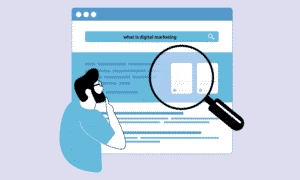
These PAA boxes often expand endlessly, showing more related questions as you click. Optimizing for PAA allows brands to capture multiple spots on the SERP and answer user intent at different stages of the buyer journey.
6. Google Images/Video Carousels – Visual Results Without a Site Visit
For searches where visuals are key, Google shows image packs or video carousels directly in the results. These often appear in the middle or top of SERPs.
Examples:
Searching “modern logo designs” will display a scrollable image pack.
Searching “how to bake a cake” may trigger a carousel of YouTube videos.
Visual search features are critical because they catch the user’s eye instantly. Businesses that use image SEO (alt text, descriptive filenames, schema) and optimize video content (titles, descriptions, transcripts) can appear here and drive both visibility and engagement
7. Google Shopping Ads – Product Listings with Purchase Options
Google Shopping Ads appear when users search for products with transactional intent. They display a carousel of products with images, prices, seller names, and direct purchase links — often before organic results.
For example:
Searching “buy iPhone 14 online” shows a list of phones from multiple retailers with pricing and shipping options.
These results are powered by Google Merchant Center and paid advertising campaigns. While they function like ads, they also resemble organic results, making them more likely to attract clicks from high-intent buyers. Businesses using Google Shopping benefit from qualified leads and higher conversions
Why Zero-Click Searches Matter in SEO
Zero-click searches are more than just a user convenience feature — they’re reshaping the future of SEO.
1. Rising Search Trends
Studies show that over 50% of Google searches end without a click. This means half of your potential audience might never leave the SERP.
2. Reduced Organic Traffic
Websites that rely solely on clicks are losing ground. Even ranking #1 may not guarantee visitors if a snippet already answers the query.
3. Increased Brand Visibility
On the flip side, if your content appears in snippets or panels, your brand gains exposure — often above competitors.
4. Voice Search Compatibility
Most voice assistants (Siri, Alexa, Google Assistant) pull answers from zero-click features like snippets. If you optimize well, your content could be the voice search answer.
The Mechanics of Zero-Click SEO
To optimize for zero-click searches, you must understand how Google selects and displays information.
Key Factors:
Query Intent: Google identifies if a query can be satisfied quickly (e.g., definitions, local searches).
Structured Data: By using schema markup, you provide search engines with extra context about your content. It works like a “translator” that helps Google and other search engines clearly understand what your page elements represent — whether it’s a product, review, recipe, event, or FAQ. This additional layer of information improves the chances of your content appearing in rich results, featured snippets, or other enhanced SERP features.
Content Format: Lists, tables, FAQs, and concise answers are more snippet-friendly.
Authority & Trust: High-authority sites are more likely to be featured.
Benefits of Optimizing for Zero-Click SEO
Some marketers fear zero-click searches because of lost traffic. But with the right approach, they offer unique benefits:
Enhanced Brand Authority – Being the direct answer builds trust.
Voice Search Opportunities – Your content powers smart assistants.
Local Business Growth – Appearing in Google Maps boosts conversions.
Higher CTR in Some Cases – If users still want detail, they’ll click your link first.
Competitive Edge – Many brands ignore zero-click optimization, so it’s an untapped strategy.
How to Optimize for Zero-Click Search SEO
1. Target Question-Based Keywords
Queries starting with what, why, how, when are more likely to trigger featured snippets or PAA boxes.
Example: Instead of “digital marketing tips,” aim for “What are the best digital marketing tips for beginners?”
2. Structure Content for Featured Snippets
Google loves organized content. Use:
Numbered lists for step-by-step processes.
Tables for comparisons.
Bullet points for definitions or features.
Short paragraphs (40–60 words) for direct answers.
3. Optimize for Local SEO
Claim your Google Business Profile.
Use NAP consistency (Name, Address, Phone).
Encourage customer reviews.
Add location-based keywords.
4. Use Schema Markup
Implement structured data (FAQ, HowTo, Reviews, Local Business, Product schema) to improve chances of appearing in rich results.
5. Leverage FAQs & “People Also Ask”
Create an FAQ section targeting long-tail questions. Use tools like AnswerThePublic or AlsoAsked to discover user queries.
6. Prioritize Mobile Experience
Since most zero-click searches happen on mobile, ensure your site is:
Fast loading
Mobile-friendly
Easy to navigate
7. Monitor SERP Features
Use tools like SEMrush, Ahrefs, or Moz to track if your keywords trigger snippets, panels, or local packs.
Common Mistakes to Avoid
Over-Optimizing for Snippets – Don’t sacrifice readability for algorithms.
Ignoring Long-Form Content – Short answers work, but Google still values in-depth resources.
Skipping Schema Markup – Without structured data, you’ll miss rich results.
Neglecting Brand Mentions – Even if traffic drops, brand recall matters.
Future of Zero-Click SEO
As Google and other search engines evolve, zero-click searches will only increase. AI-powered search (like Google’s SGE – Search Generative Experience) will provide more direct answers.
But that doesn’t mean SEO is dead. Instead, it’s evolving into Zero-Click Search SEO, where the priority shifts from simply driving clicks to building strong visibility and authority directly on search results.
Content creators must balance quick, clear answers that win snippets and AI placements with in-depth insights that keep users engaged.
Businesses must also adapt by focusing on Zero-Click Search SEO strategies — capturing attention on the SERP itself, appearing in featured snippets, FAQs, and AI summaries, and building brand recognition even when users don’t click through.
Case Studies
Case 1: Health Websites
A medical site optimized FAQ-style content. Their traffic dropped slightly, but their brand impressions skyrocketed as they became the go-to source for quick health definitions.
Case 2: Local Restaurants
A restaurant updated its Google Business Profile and gained visibility in “near me” searches. Even without website clicks, calls and walk-ins increased.
Case 3: E-Commerce
An online store used product schema and got featured in Google Shopping results. They lost some organic traffic but saw a spike in direct conversions.
Actionable Checklist for Zero-Click SEO
- Research question-based keywords
- Add concise answers (40–60 words)
- Use schema markup (FAQ, HowTo, Product, Local Business)
- Optimize for mobile and speed
- Add FAQ sections
- Claim and optimize Google Business Profile
- Track SERP features with SEO tools
- Balance snippets with long-form content
Conclusion
Zero-click searches may seem like they’re taking traffic away from websites, but in reality, they’re transforming how users engage with brands online. By adapting your SEO strategy, you can turn zero-click opportunities into brand authority, trust, and conversions.
The future of SEO isn’t about chasing clicks — it’s about being present where your audience searches. With the right Zero-Click Search SEO strategy, your business can stay ahead of the curve in this ever-changing digital landscape.
FAQs
Q1: Do zero-click searches kill website traffic?
Not necessarily. While clicks may decrease, your brand visibility and authority often increase.
Q2: How do I get my content into featured snippets?
Structure your content with clear answers, bullet points, lists, and schema markup.
Q3: Is Zero-Click SEO only for big brands?
No. Local businesses, small blogs, and niche sites can also dominate snippets and local packs.
Q4: How does Zero-Click Search affect voice search?
Voice assistants pull most of their answers from snippets and panels, making Zero-Click SEO critical.
Q5: Should I still write long blogs if snippets matter?
Yes — snippets drive visibility, but long-form content establishes authority and supports ranking
AUTHOR:Mohammed Rideef